Jewelry Photo Retouching: What It Covers, What to Ask, and When to Skip It
What a jewelry retoucher actually does, what to ask a retouching service, how to check the edits against the piece, and when a new photo beats a retouch.
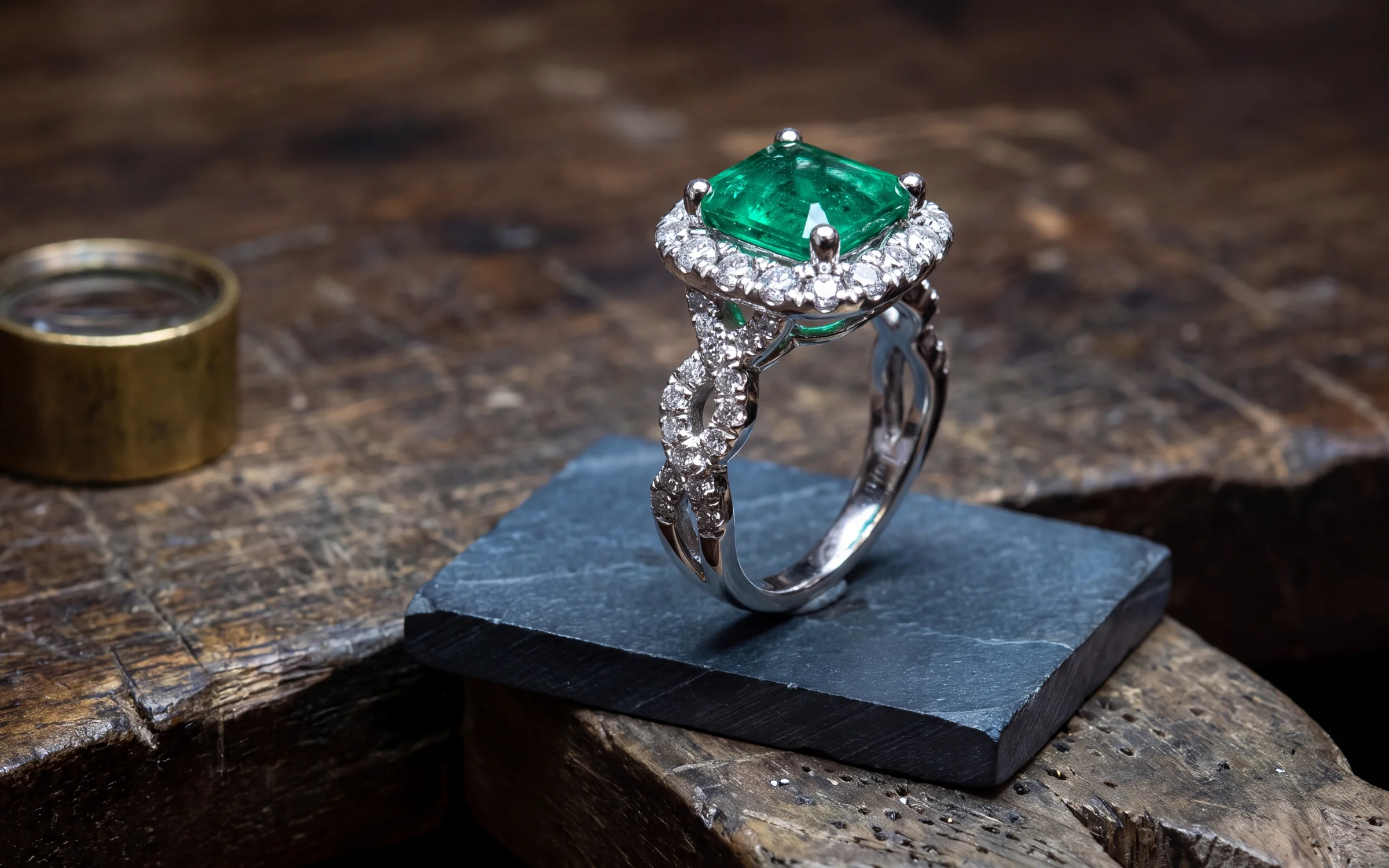
Jewelry is the hardest product there is to photograph cleanly. A ring is small, curved and polished, so it picks up every speck of dust, every fingerprint and the whole room in its reflection. That is why almost every professional jewelry photo you see online has been retouched, and why "jewelry retouching service" is a whole trade of its own.
This guide is for store owners and brands deciding how to handle it. It covers what retouching actually involves, what a good retoucher will and will not do, how to check the finished files, and when it makes more sense to make a new photograph than to fix an old one.
What jewelry retouching covers
Retouching is everything that happens to a photo after it is taken and before it goes on your website. For jewelry, the work usually falls into a few groups.
- Cleanup. Dust, lint, scratches on the metal, fingerprints on a polished band, and marks on the backdrop.
- Reflections. Taming the bright streaks and dark patches a camera, a light or a person leaves in polished metal, so the shape of the piece reads clearly.
- Background. Cutting the piece out and placing it on clean white, a soft gray, or a color that matches your site, with a natural shadow underneath.
- Color. Making white gold look white and yellow gold look yellow, and keeping the stone close to its real color.
- Stones. Bringing back sparkle that the camera flattened, usually by balancing contrast in the facets.
- Focus stacking. Combining several shots taken at different focus points, because a lens can rarely get a whole ring sharp in one frame.
- Consistency. Cropping and aligning every piece to the same size and position, so a collection page looks like one shoot.
A basic edit covers cleanup, background and color. Stone work, focus stacking and heavy reflection repair take longer, and a retoucher will usually price them separately.
Retouching has a limit, and it matters
The most important rule in jewelry retouching is that the edit must not change what the piece is. A retoucher can remove dust from a diamond. They should not make it look whiter than it is, add facets, or hide an inclusion that a buyer would want to know about. They can straighten a reflection on a band. They should not make a 2 mm band look like a 3 mm one.
This is more than good manners. The FTC's Jewelry Guides warn against misrepresenting the color, size or quality of stones and metals, and a photo that does it can count. A customer who receives a warmer, cloudier or smaller piece than the photo showed has a fair complaint, and you are the one taking the phone call.
So give your retoucher clear limits, in writing:
- Match the metal color to the piece. No warming, no cooling.
- Keep the stone color as photographed, corrected only for the camera's white balance.
- Remove dust and marks. Do not remove inclusions or real wear on an estate piece.
- Keep the proportions. No stretching, no slimming a band.
- Add nothing. No extra stones, no extra sparkle that is not in the piece.
What to ask a retouching service
Retouching services range from one person working out of a home studio to large offshore teams handling thousands of images a day. Before you send a batch, ask:
- What is included in the base price, and what costs extra? Ask specifically about focus stacking, stone work and shadows.
- What is the turnaround, and does it change for large batches?
- How many rounds of changes are included?
- Will you send a test edit of two or three of my images first?
- What file size and format will I get back, and will the files fit my website's image settings?
- Who keeps the original files, and will you delete them when the job is done?
The test edit is the most useful thing on that list. Send your hardest piece, usually a white gold ring with a large center stone, and compare the result with the real piece under a loupe.
How to check retouched files
Do this for every batch, not just the first one. Put the retouched image next to the original photo, with the piece itself on the counter if you can.
- Metal color. White gold should not come back warm or yellow. Rose gold should stay rose.
- Stones. Count them. Check the shape and the color of the center stone.
- Setting. Look at the prongs, the halo and the band. Retouchers sometimes smooth away milgrain or engraving by accident.
- Edges. A careless cutout leaves a halo of the old background around the metal, which shows on a white page.
- Shadow. A floating piece with no shadow looks pasted in. A shadow in the wrong direction looks worse.
- Size on the page. Check that a pair of studs and a cocktail ring are not shown at the same size if they are very different in real life.
Doing it yourself
Some stores retouch in house, usually with Photoshop or a simpler background remover. It can work if one person owns it and you shoot in a consistent way, because the same edit then works on every photo. It falls apart when the photos come from different phones, different days and different lighting, since each one needs its own fixes.
A background remover on its own is a reasonable first step for a small catalog. It cleans up the backdrop. It will not fix dust, reflections or flat stones, which is where most of the time goes.
When a new photograph is better than a retouch
Retouching can only work with what the camera captured. If a photo is blurred, if a highlight has burned out across the center stone, or if half the ring is hidden behind a display stand, no edit will bring that detail back. Paying a retoucher to rescue it often costs more than taking a new photo.
There is also a newer option. Instead of editing the old photo, software can make a new finished photograph from it. This is how Aurix works. You start from the photo you have, which can be a phone shot at the counter, a supplier image or a lightbox frame, and choose a Style. Aurix makes a finished photograph of the same piece: on a clean studio backdrop, on a surface such as marble, silk, linen, velvet, wood, sandstone or slate, or worn on a hand, neckline, ear or wrist. The models are generated, so there is no booking and no release form.
Because the result is a new image, the backdrop, the light and the shadow come back clean, which covers most of what a retoucher spends their time on. You can go in close for a macro detail or pull back and give the piece room, and each Style can make one to four variations per product.
It is a different tool, so it needs the same check. By default each new photograph waits in Review changes next to your original. If the metal color or a stone is off, you reject it or ask for a change before anything reaches your Shopify store. Credits are used only when a generation completes, and a revision of one image costs one image, not a whole run.
Aurix is the wrong tool for a grading photo, a certificate image or any picture where a buyer expects an unedited capture of the stone. For those, use a plain photo and a light, honest edit.
See the kinds of photograph Aurix makes, or read our guide to what product photography costs if you are comparing options.
Where to start
Pick ten pieces whose current photos you are least happy with, and send three to a retoucher as a paid test. Put the results next to the real pieces and decide on what you see. See plans: Starter is $99 a month, Growth $199 and Scale $399. To see Aurix first, book a 20-minute walkthrough. We run it on sample pieces.
Frequently asked questions
What is jewelry photo retouching?
It is the editing done to a jewelry photo after it is taken: removing dust and marks, fixing reflections in the metal, cleaning or replacing the background, correcting color, and focus stacking so the whole piece is sharp. A good retouch makes the photo look like the piece. It should never make the piece look better than it is.
How long does jewelry retouching take?
It depends on the service and the work involved. A simple background and cleanup is quick. Focus stacking, stone work and heavy reflection repair take much longer. Ask for the turnaround on your batch size before you send it, and ask for a test edit first.
Can retouching fix a blurry jewelry photo?
Not reliably. Retouching can sharpen a little, but it cannot recover detail the camera never captured. A blurred center stone or a burned-out highlight usually needs a new photo.
Is it legal to retouch jewelry photos?
Retouching is normal and expected. What you must avoid is a photo that misrepresents the piece, such as a stone made to look whiter or larger, or a metal color that is not what the customer will receive. The FTC's Jewelry Guides cover misrepresentation of stones and metals.
Is Aurix a retouching service?
Not in the traditional sense. Aurix makes a new finished photograph from the photo you already have, so the backdrop, light and shadow come back clean without a retouch. Each result waits for your review next to the original by default, and you approve it before it publishes to Shopify.